Overlaps in the schedule
You book a client for a time when the staff member is already busy. Without a single calendar it's easy to create a double booking or miss an open window.
Risk of a double booking
It automatically avoids booking conflicts, accounting for staff hours, services and resources. No more overlaps and lost clients.
Double bookings, missed clients and chaos in the schedule — the usual problems for pros who track bookings by hand. Soloist helps automate online booking, manage your calendar and keep client information in one place.
You book a client for a time when the staff member is already busy. Without a single calendar it's easy to create a double booking or miss an open window.
Risk of a double booking
You forget about appointments and schedule changes. The client didn't get a reminder, the staff member changed their hours — and the booking is easily lost.
Lost clients and revenue
You waste time moving appointments by hand. Instead of several messages and re-entering data, change the booking in one place.
Extra steps and mistakes
Bookings are spread between Telegram, Instagram and phone calls. Client info, services and visit times live in different places.
Chaos and wasted time
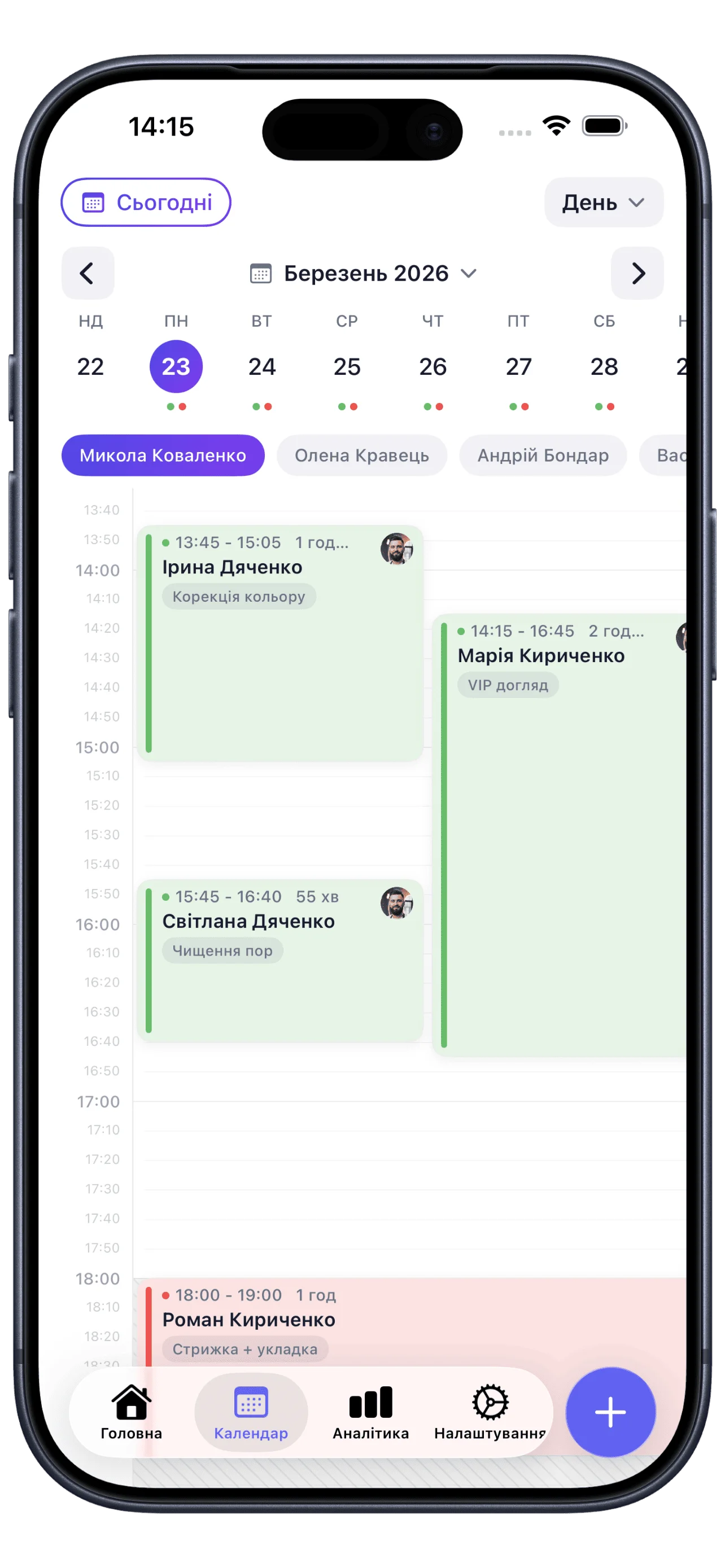
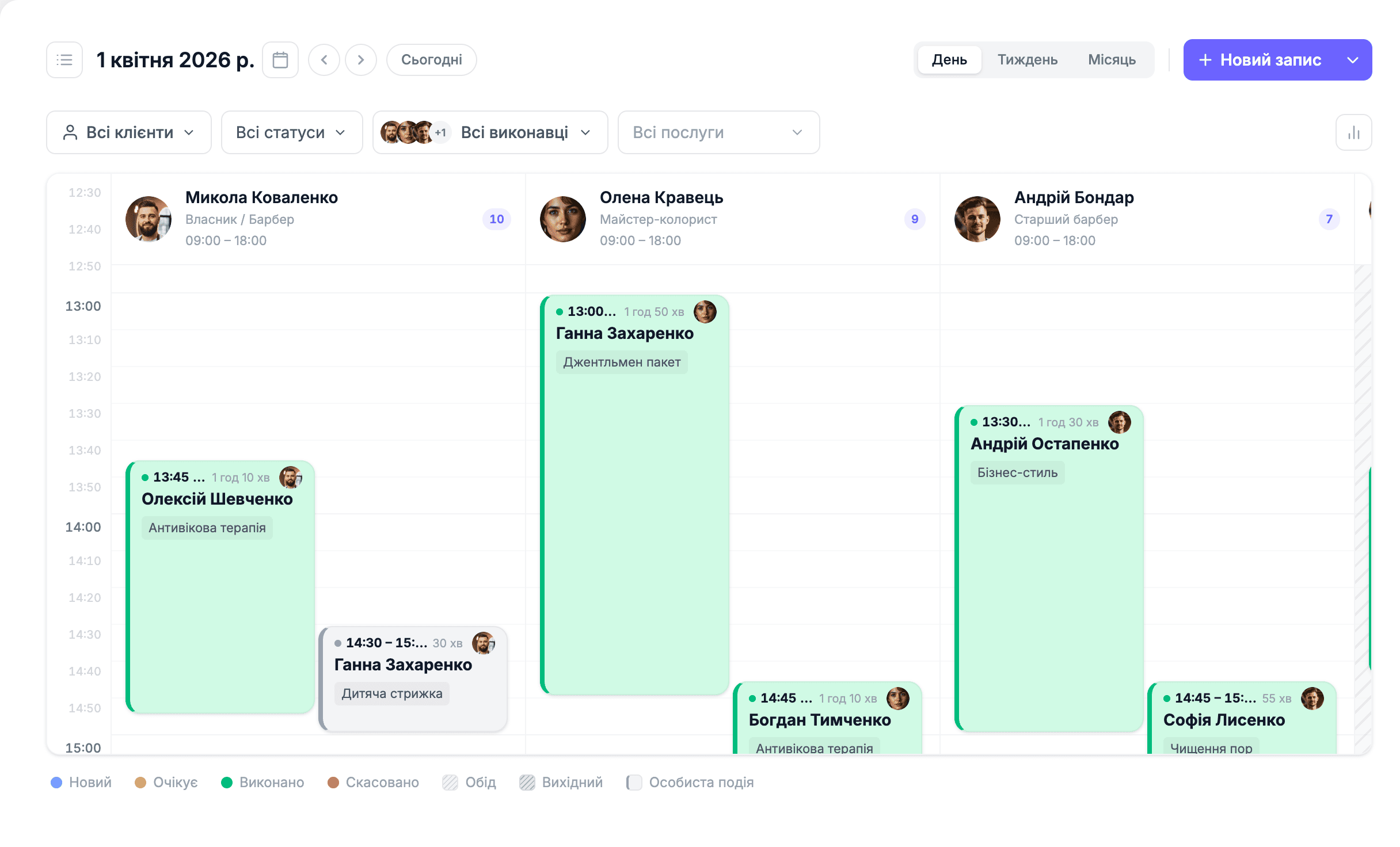
A column for each team member: avatar, role, number of appointments and revenue for the day right in the header.
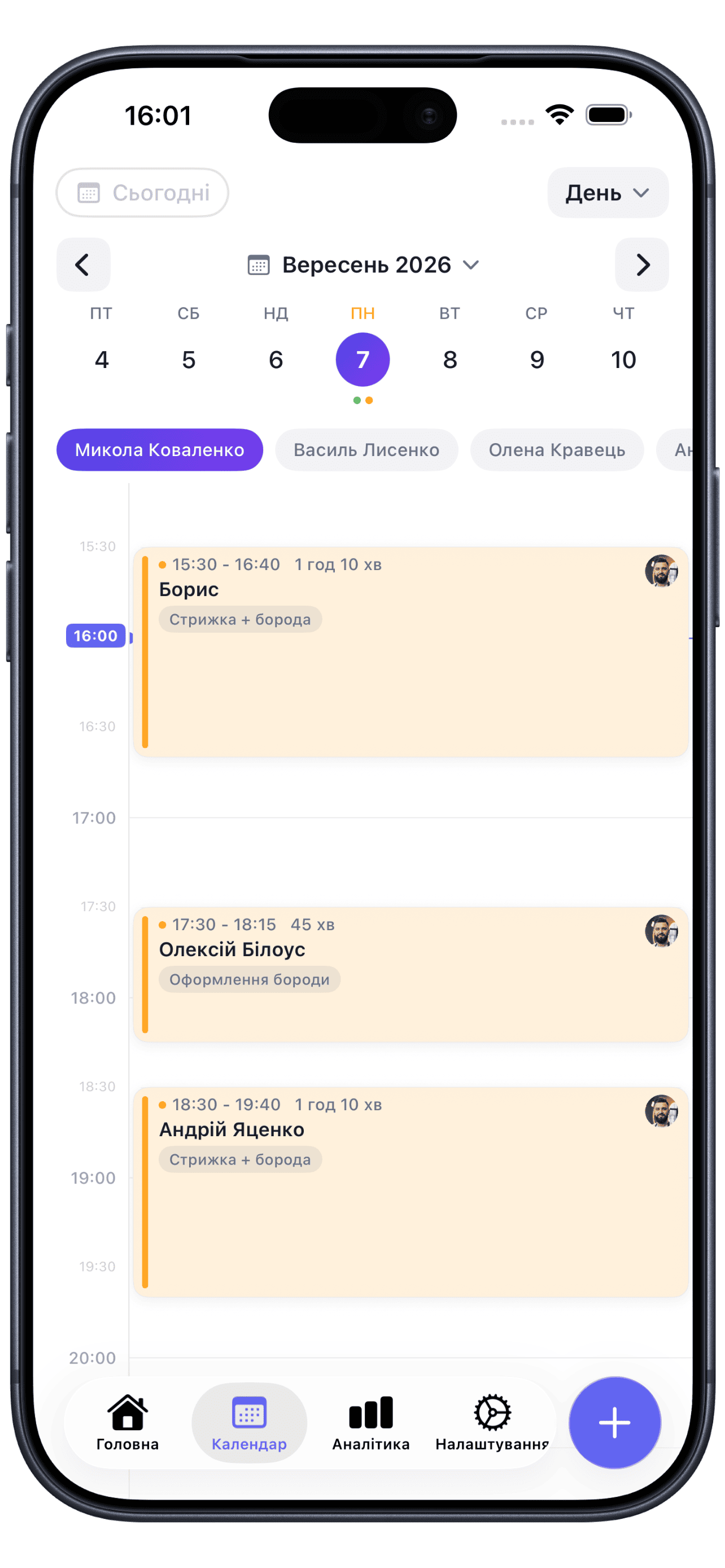
The whole team by day — handy for planning ahead.
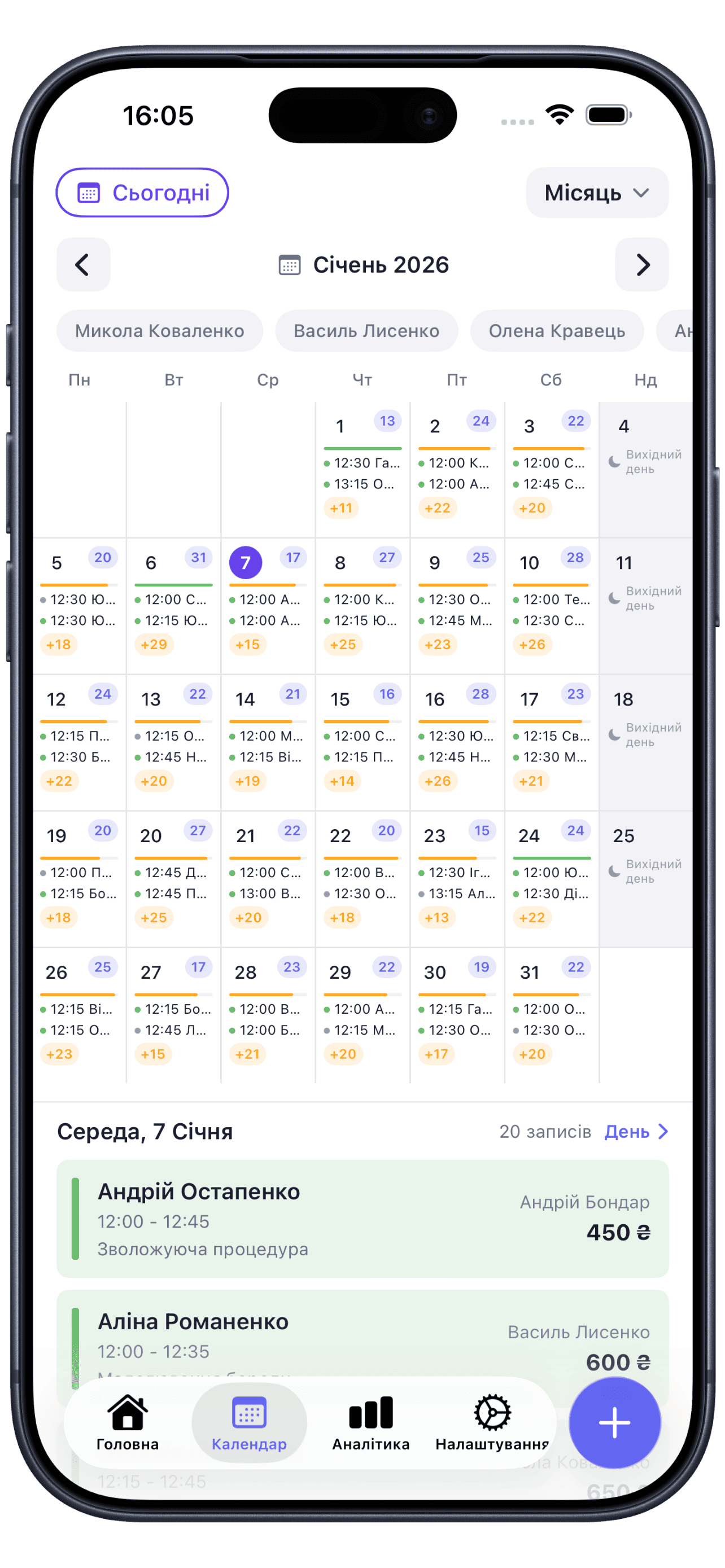
The big picture of the team's workload across the whole month.
An appointment moves easily to another time or another staff member by dragging it across the grid. The system won't let you drop a booking on a taken slot and shows the free options instead.
You can change the status right from the appointment card — in one click.
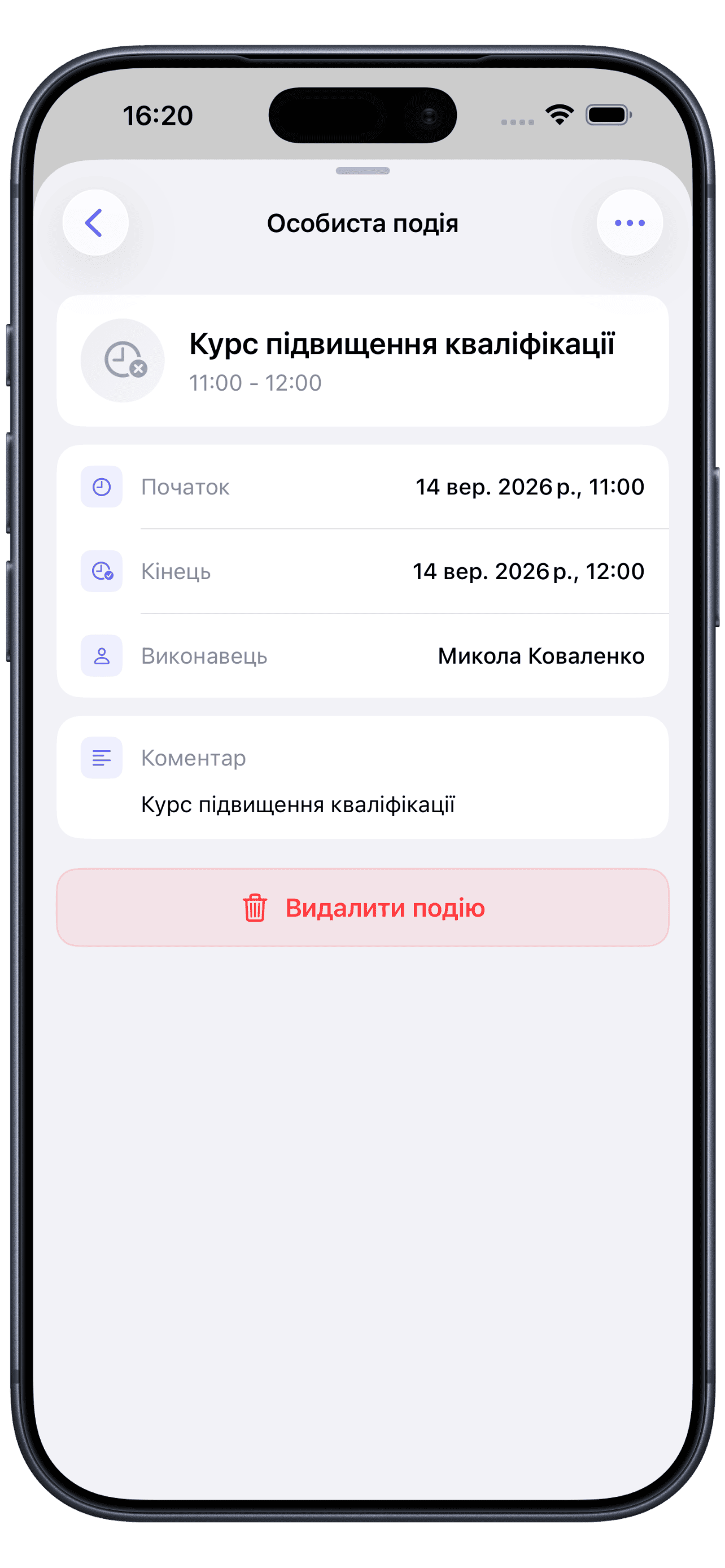
Block time for a personal errand, training or a technical break — separate from client appointments, with the option to make the event recurring, for example weekly.
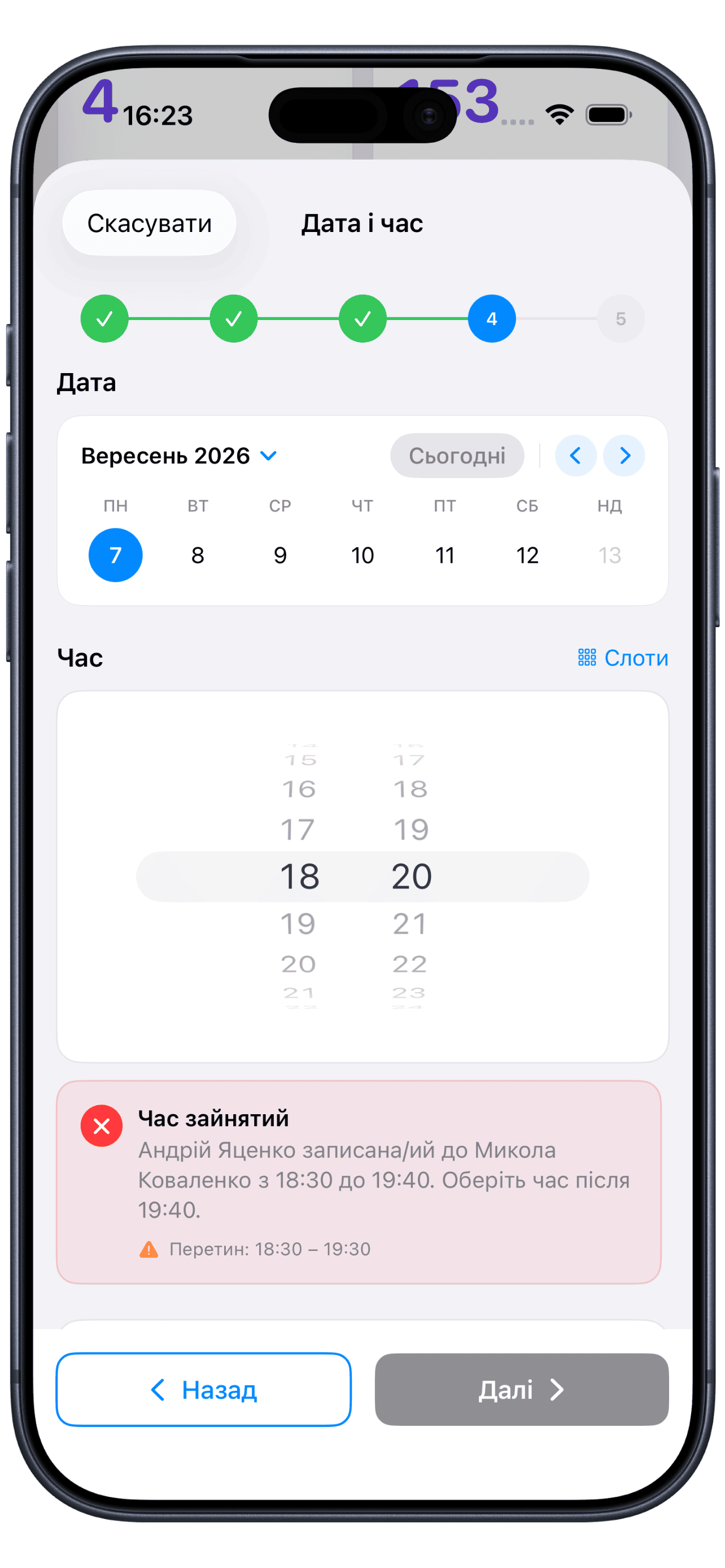
As you create the appointment, the calendar warns you if the time is already taken, falls on the staff member's break or is outside their hours — and immediately suggests the nearest free time.
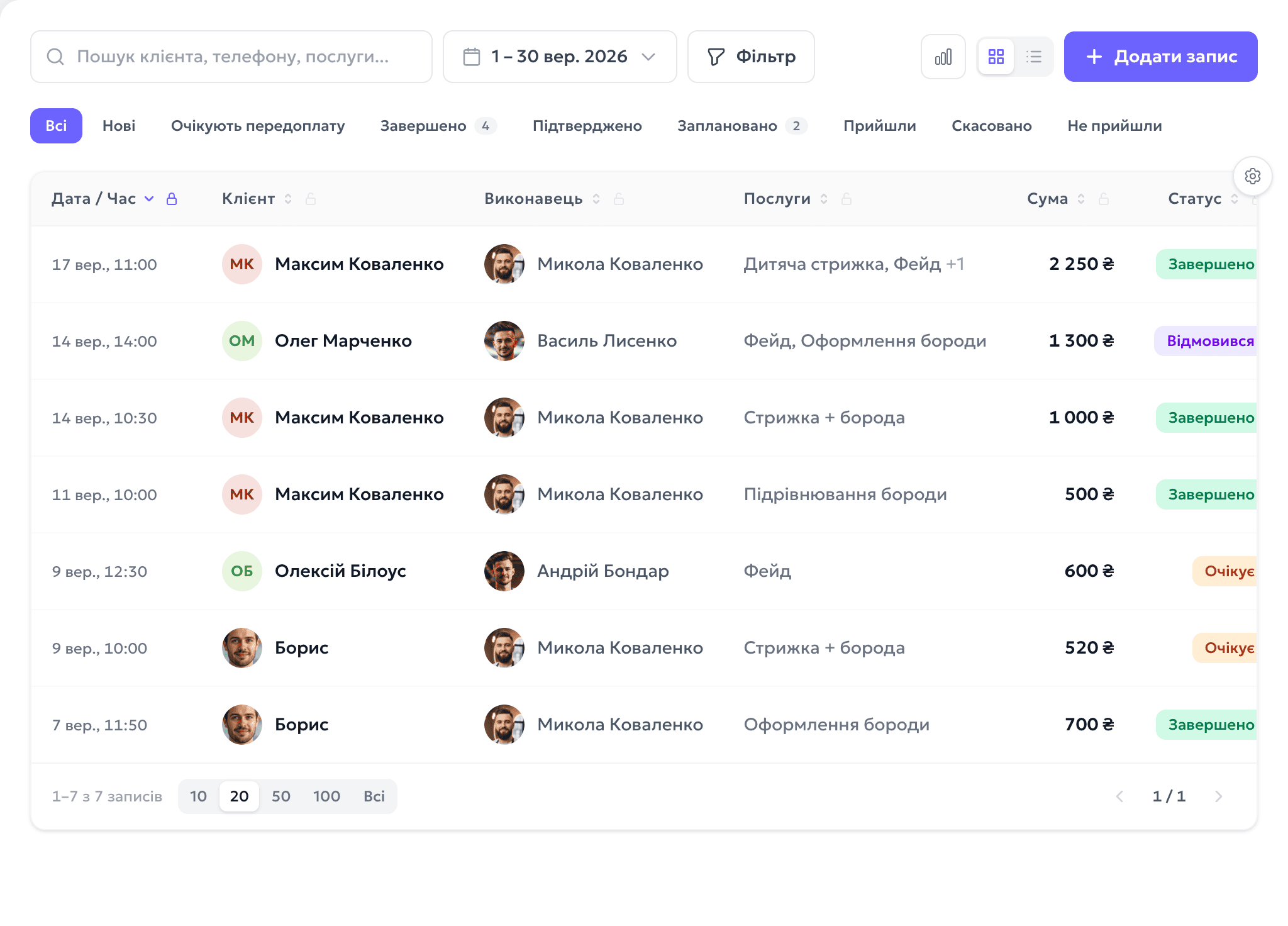
Quick search and filters help you find the appointment you need by any parameter.
Soloist offers more tools for your business and helps you manage it efficiently every day.
Start for free, upgrade when you're ready.
Free for 7 days. No credit card required.
SMS are billed separately — $0.01 per message of up to 70 characters.
Free for 7 days. No credit card required.
SMS are billed separately — $0.01 per message of up to 70 characters.
Free for 7 days. No credit card required.
Included in plan: 1 · +$5.83 per location
SMS are billed separately — $0.01 per message of up to 70 characters.
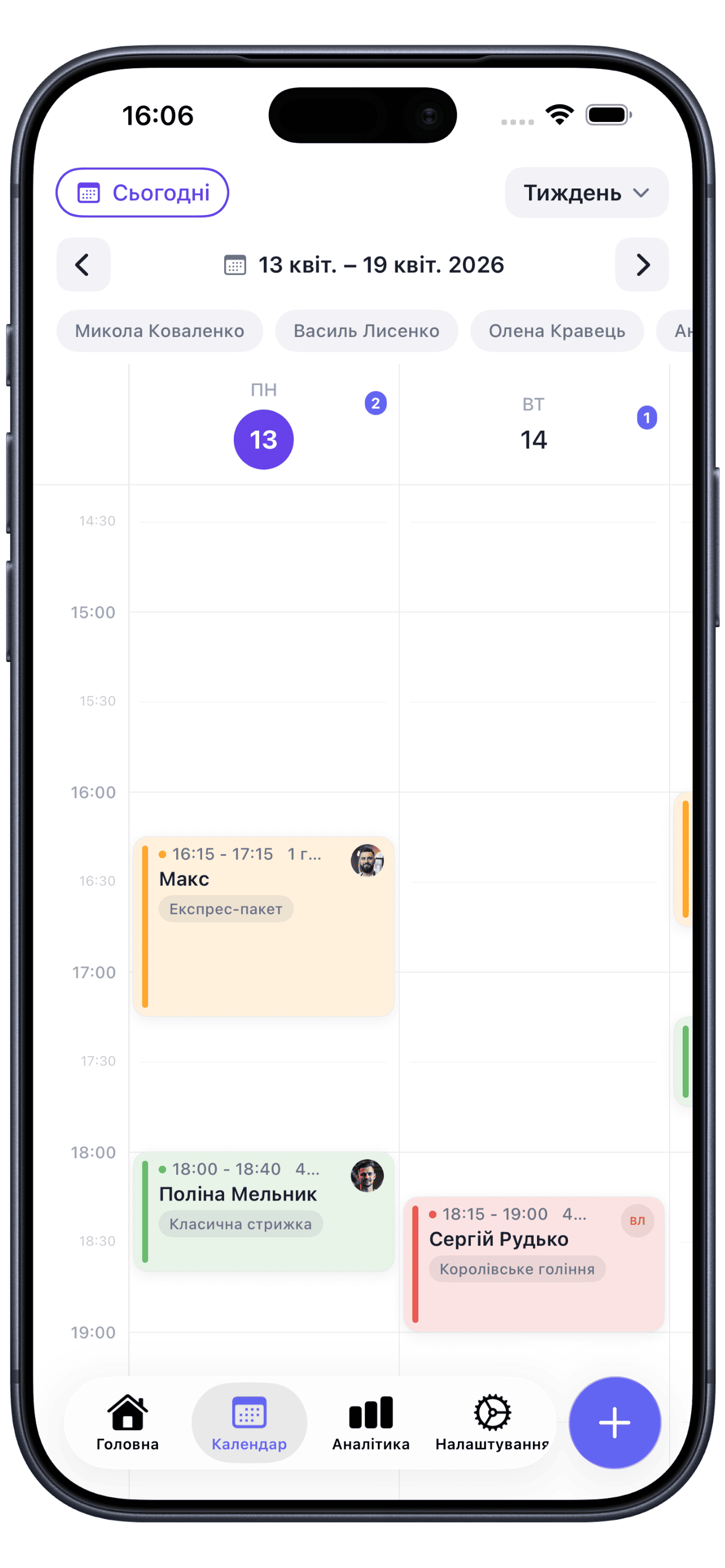
Day, week and month — with a separate column for each team member: avatar, number of appointments and revenue for the day right in the header.
Yes, drag the card onto a free slot right in the grid. The system won't let you drop it on a taken time, into a staff member's break or outside their hours.
The color shows the appointment status — awaiting confirmation, confirmed, client arrived, completed, canceled or no-show. The status is changed right from the card.
Yes, add a personal event, training or a technical break — clients won't be able to book it. A personal event can be made recurring.
Yes. The “Month” view shows the overall picture of each team member's workload, and the day and week views show who is free and when there are open windows.