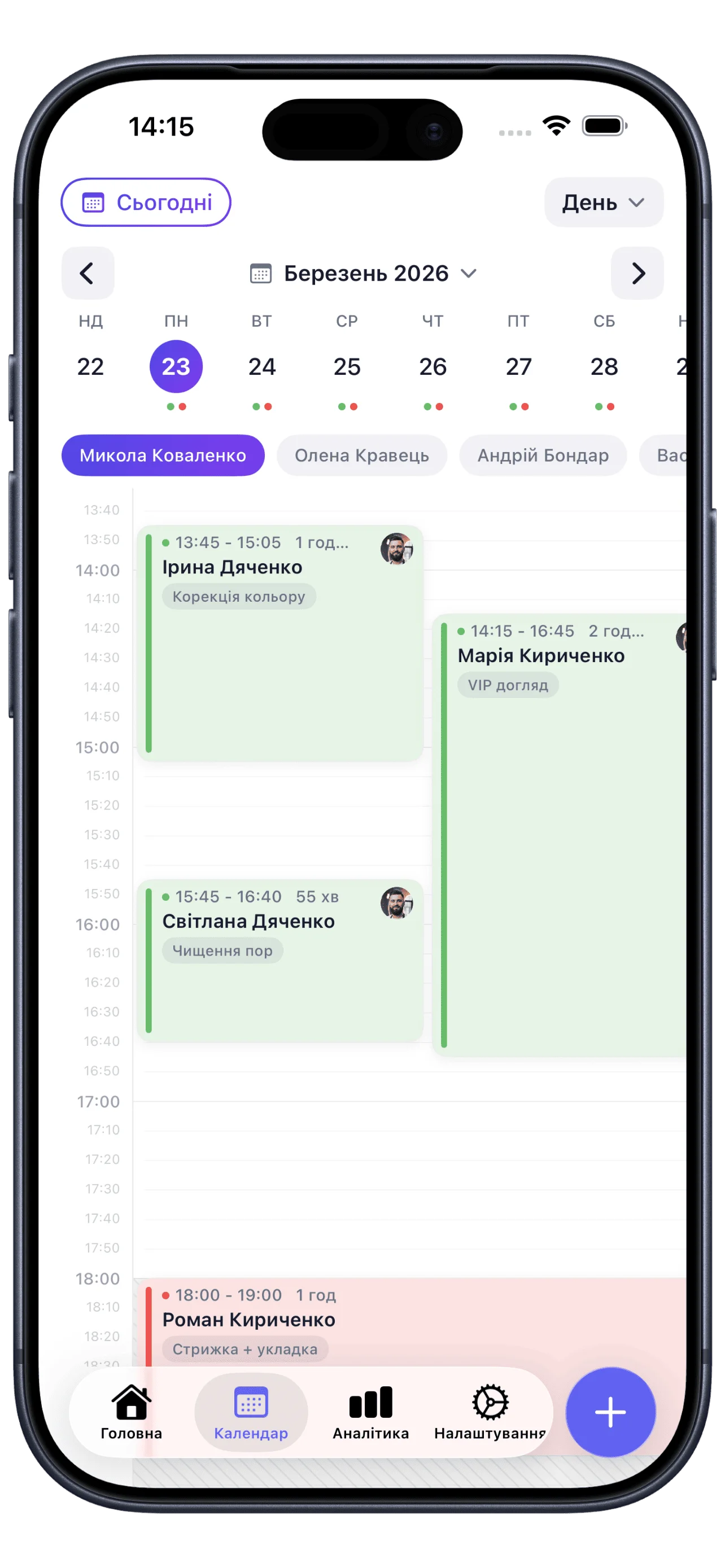
Schedule under control
Handy calendar, 24/7 online booking and automatic reminders — no missed clients.
The simple and powerful app for beauty professionals, barbers, trainers and service business owners.
Scan to download the
Soloist app
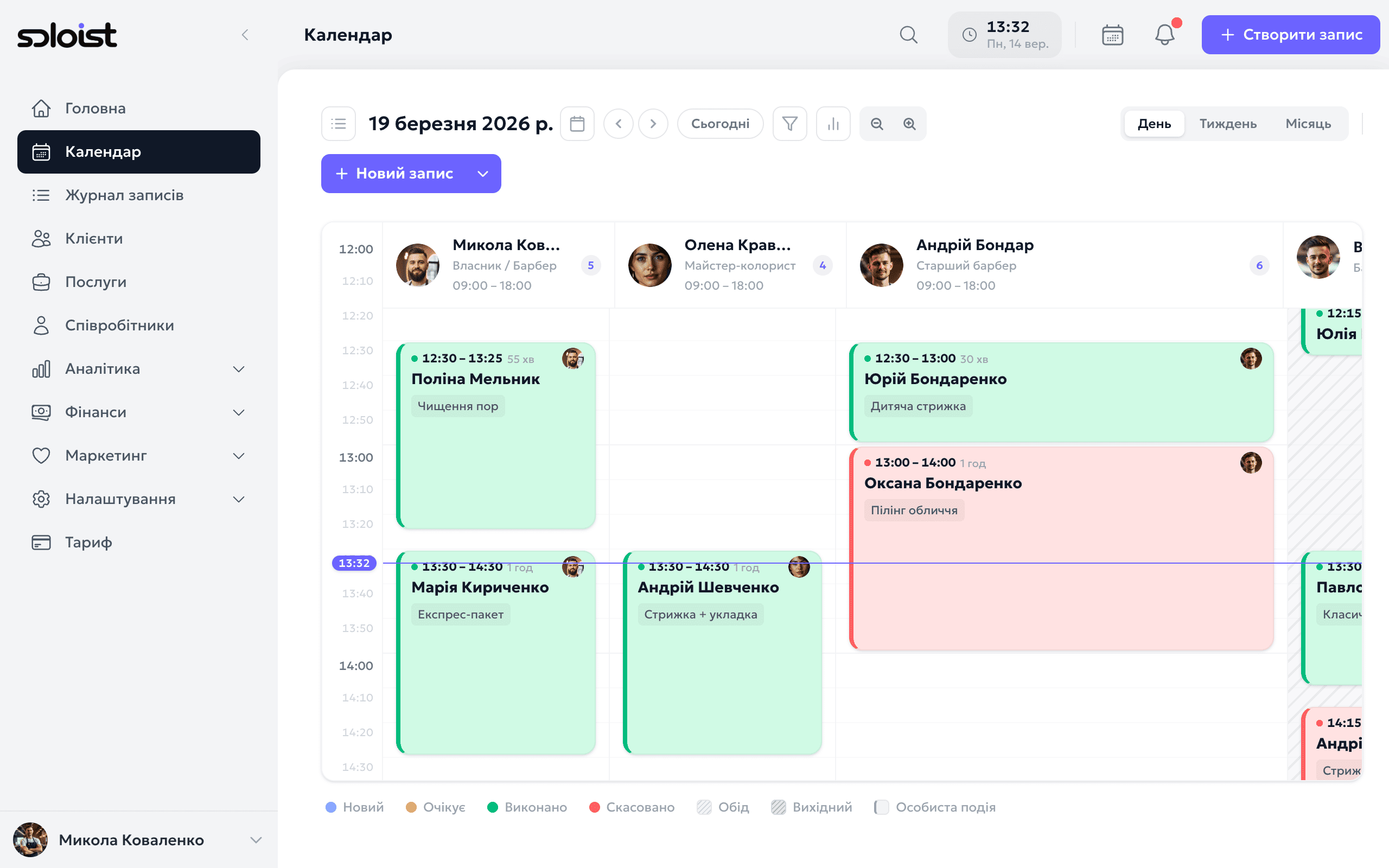
Soloist's tools help professionals save time, never miss what matters and grow every day.
Handy calendar, 24/7 online booking and automatic reminders — no missed clients.
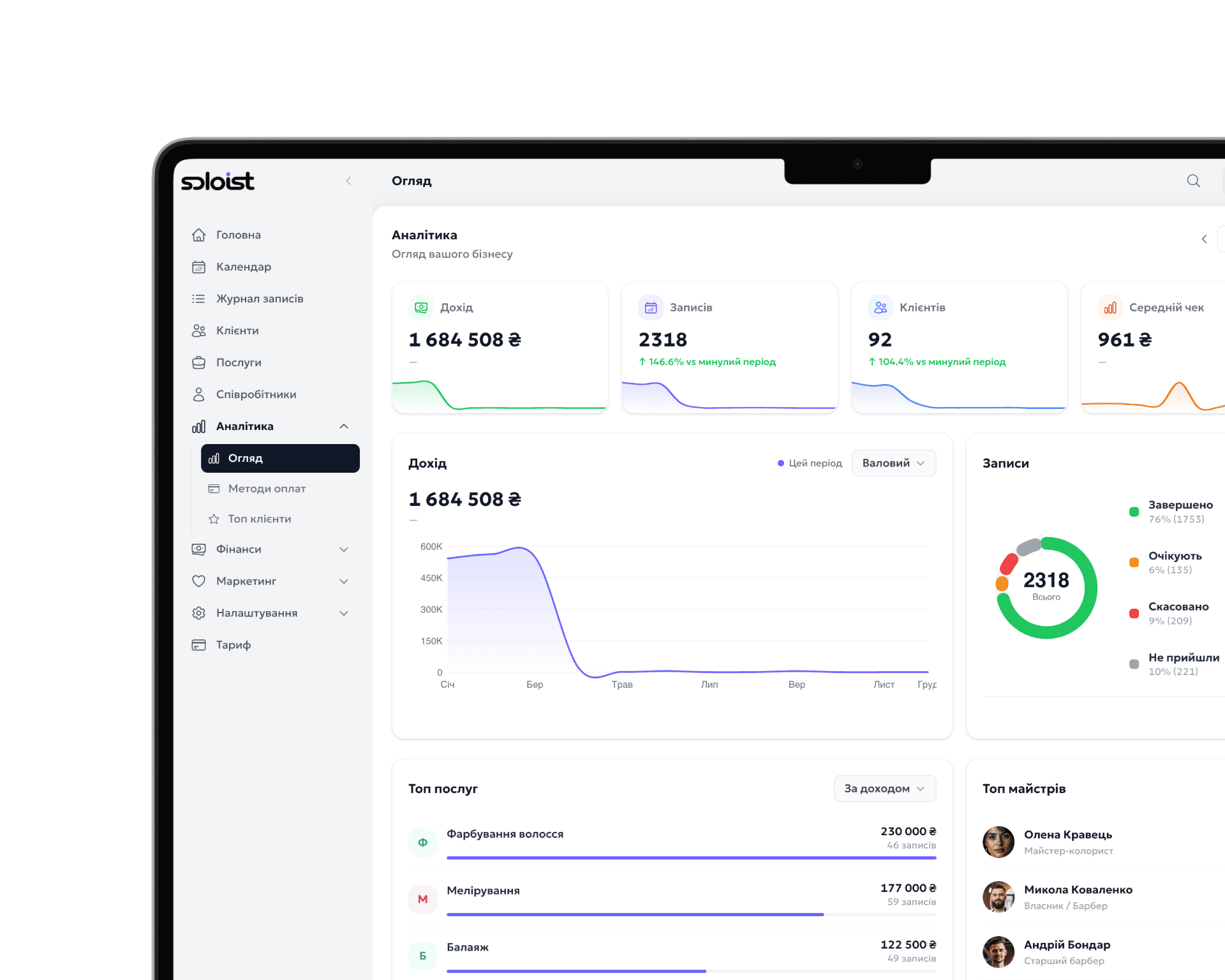
See real results: revenue, popular services, staff workload and growth trends.
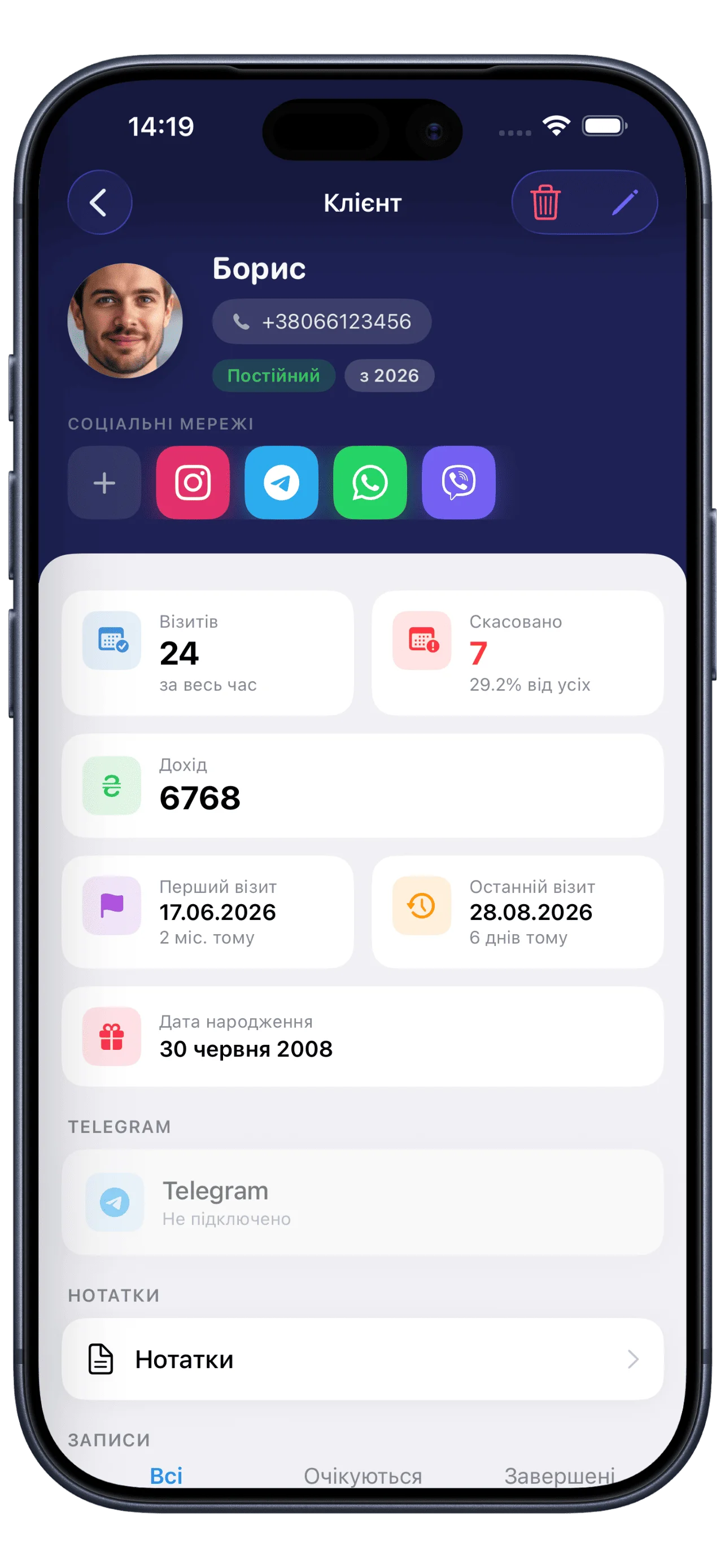
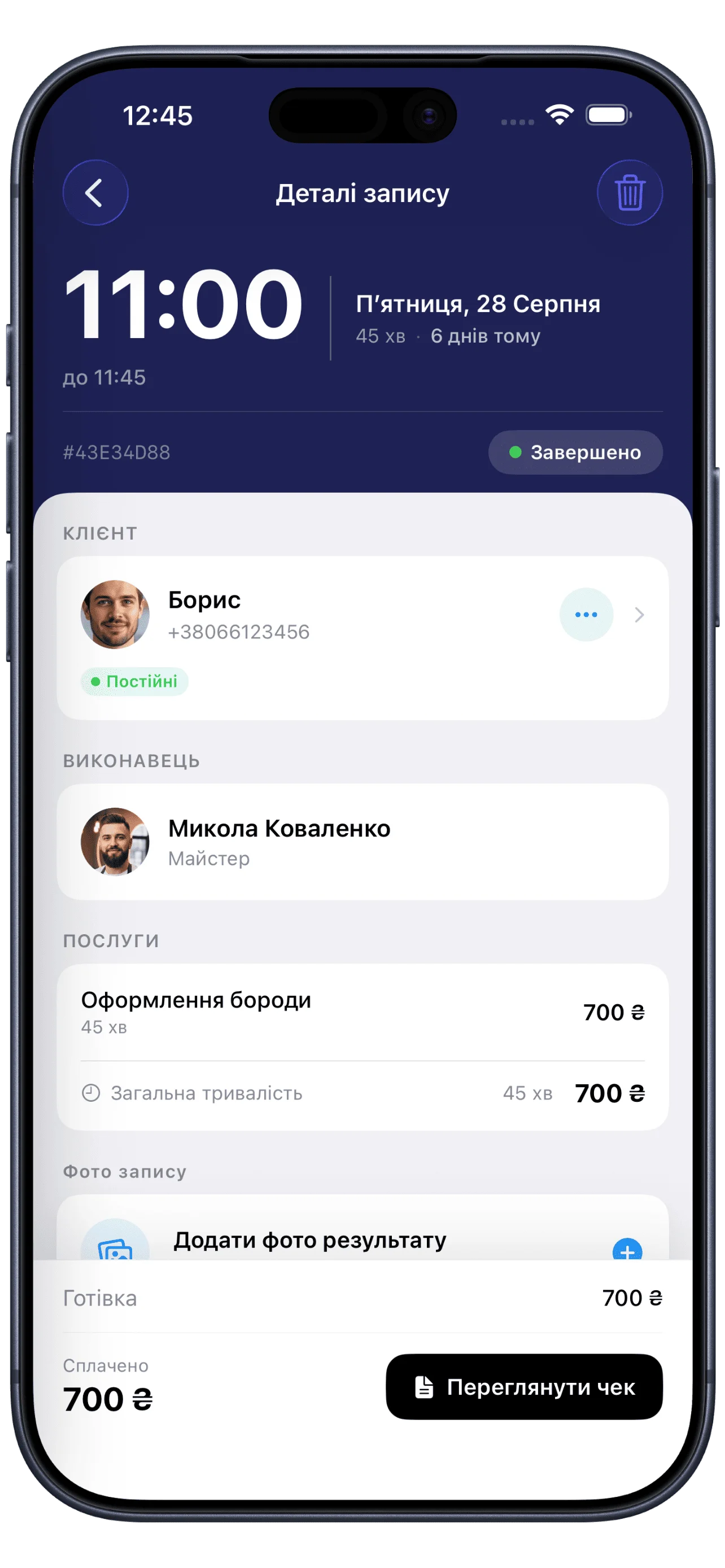
All client info, visit history, notes and stats — in a few clicks.
Soloist gives you all the tools you need to save time, stay organized and grow your business.
Online booking, reminders and calendar sync help you stay fully booked.
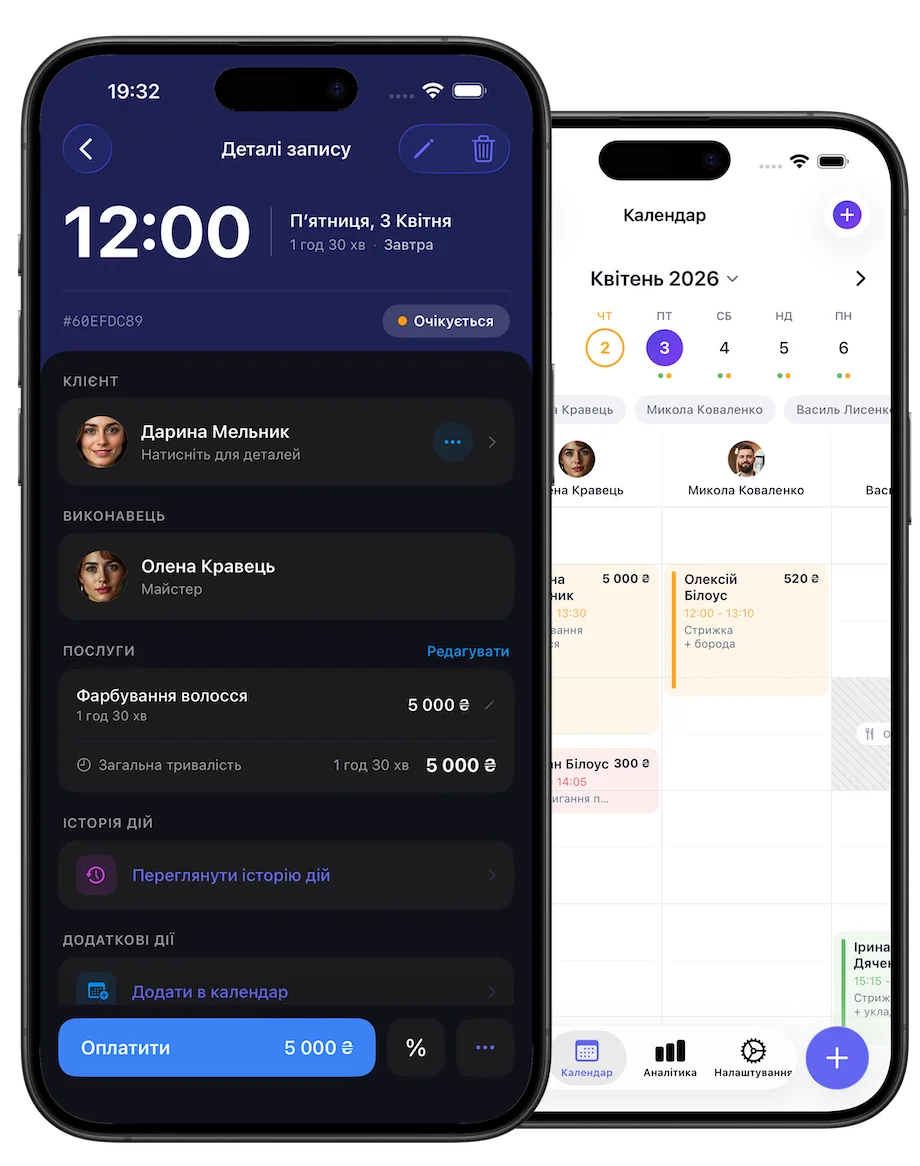
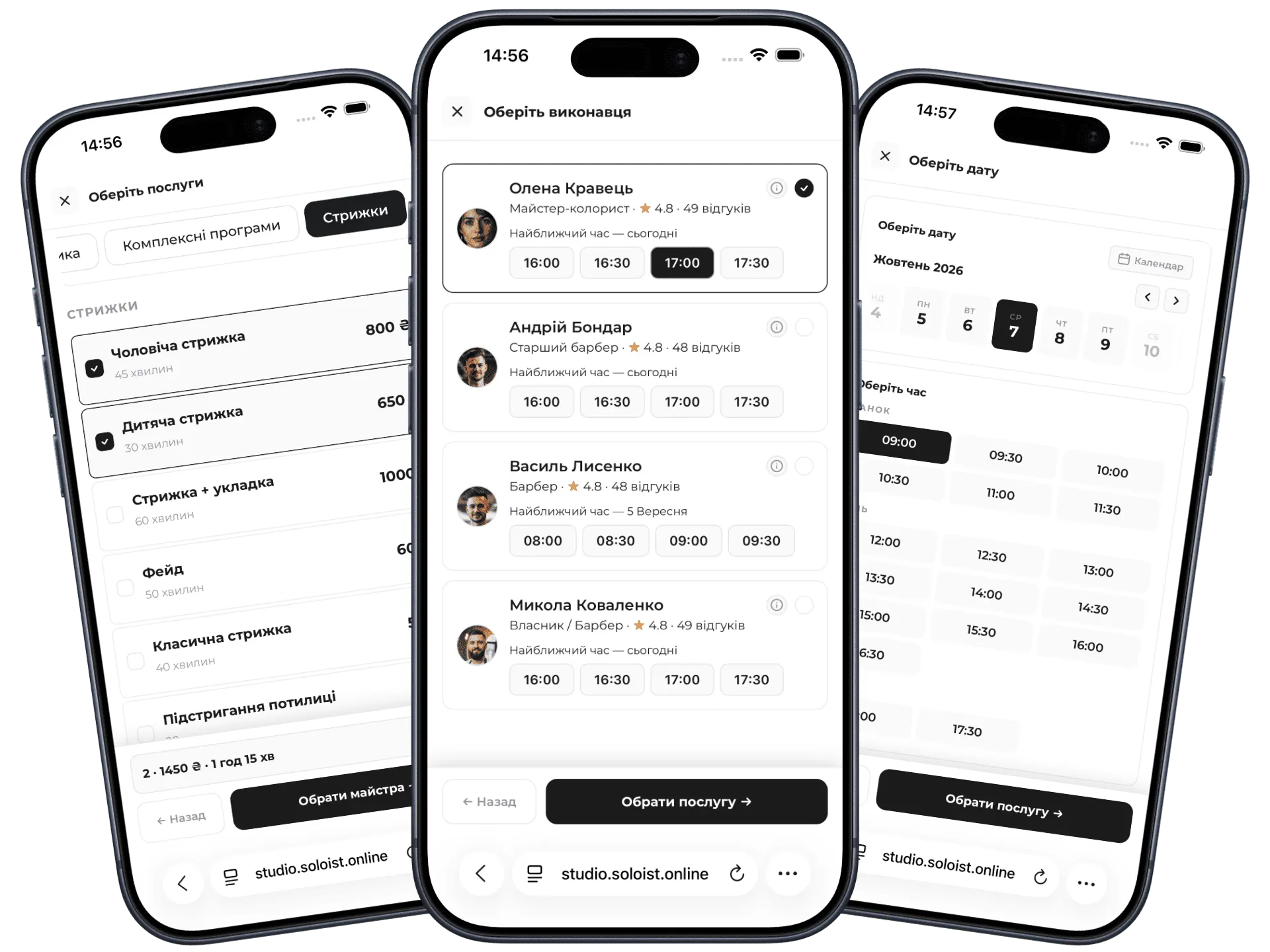
Your personal booking page works around the clock. Clients choose a service, a specialist and a time that suits them — with no calls or texting.
Add the link to your bio or share the QR code
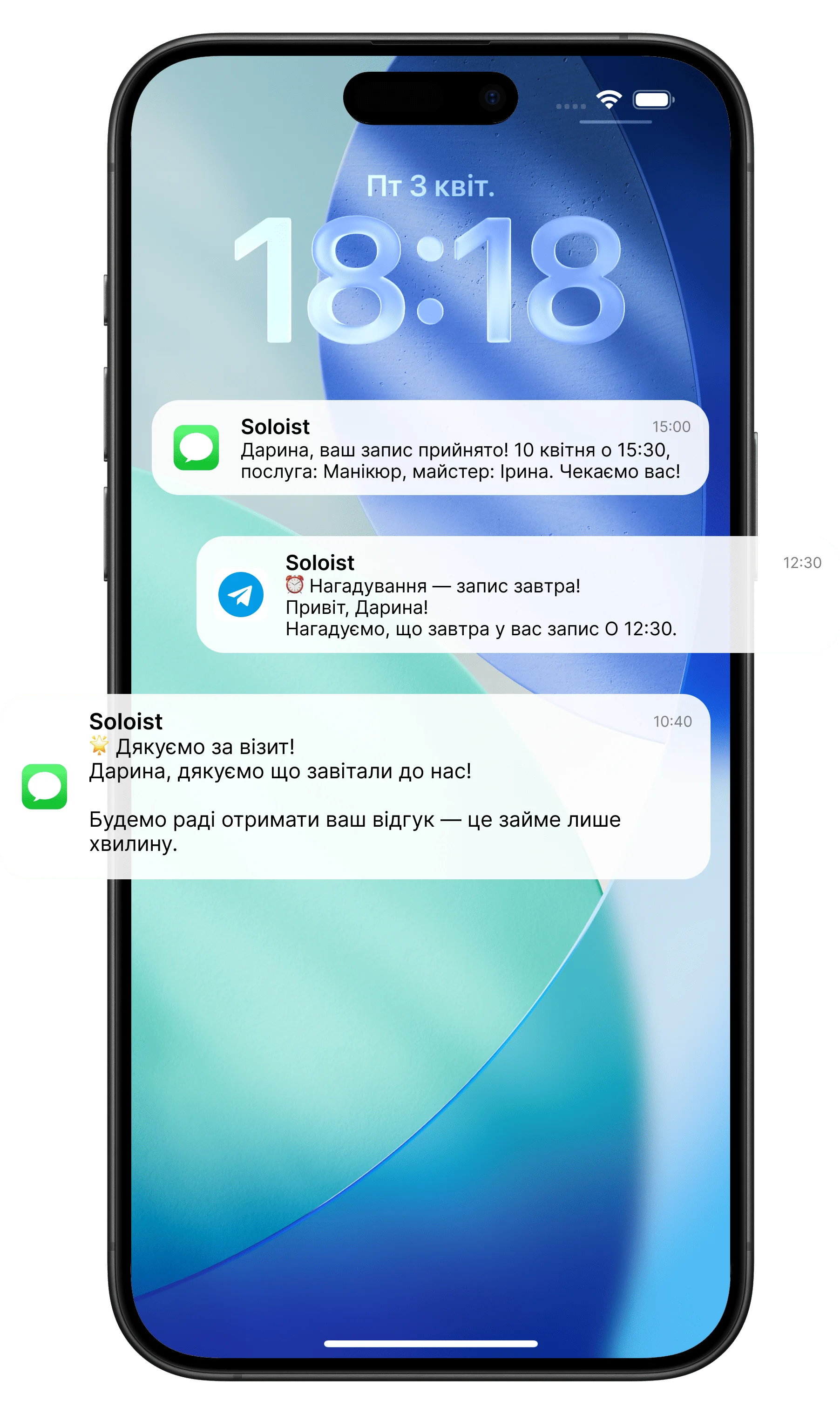
Automatic reminders via SMS and Telegram. Clients confirm or reschedule a visit in a couple of taps.
Accept payments, send invoices and keep track of your income — all in one place.
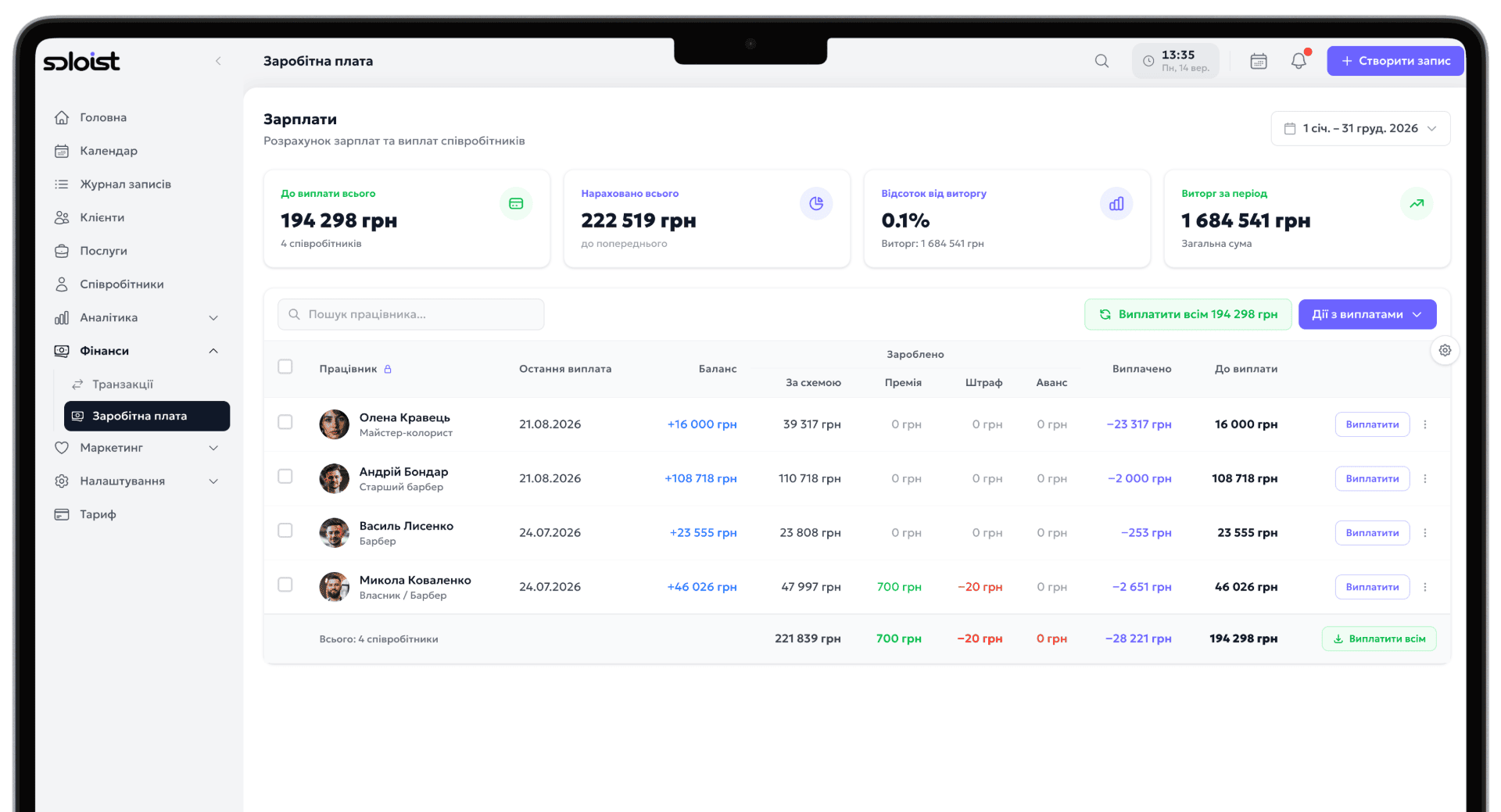
Manage your team, set up commission schemes and review payout reports in a few clicks.
Regular clients? Set an appointment to repeat weekly, every two weeks or monthly — Soloist takes care of the rest.
Try Soloist for free
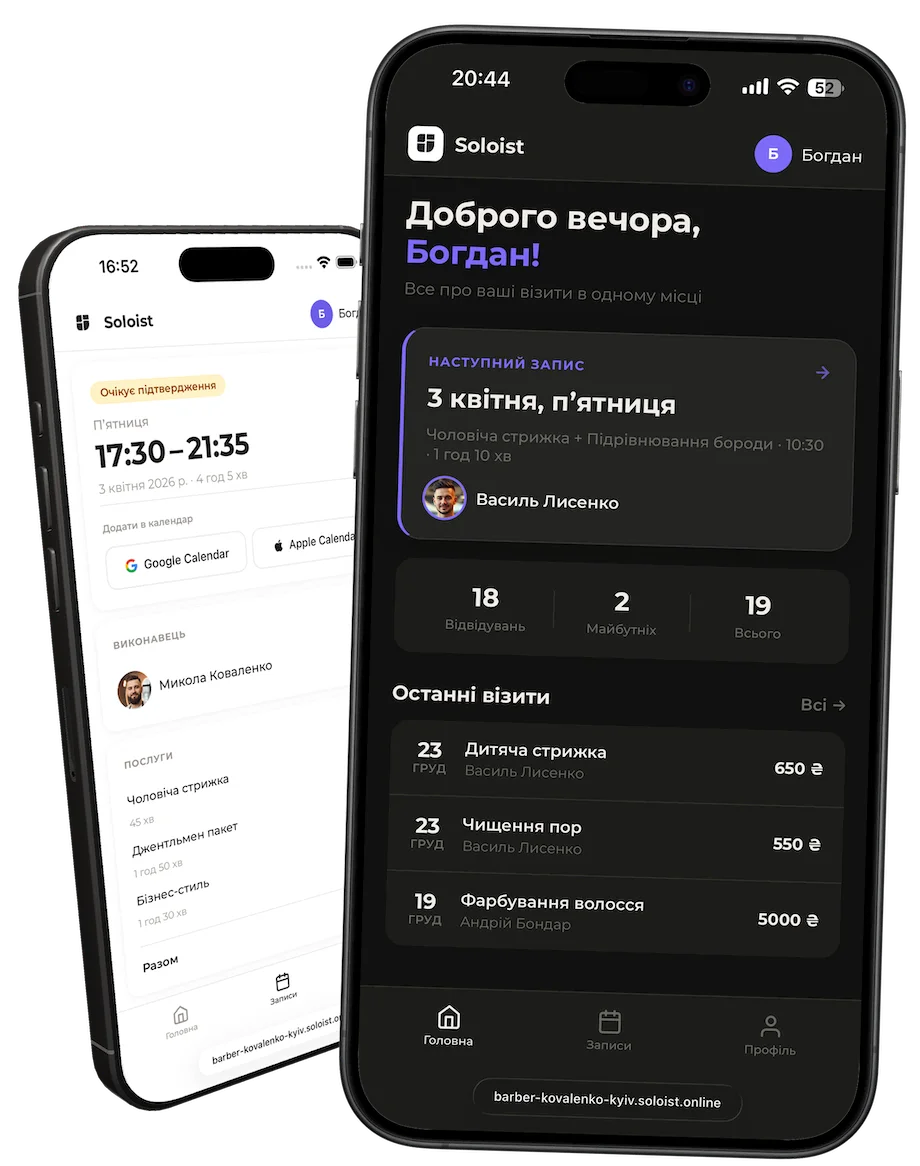
Clients always know when their next visit is, exactly what's booked and how much it costs — with no sign-ups or passwords.
Try Soloist for free
Start for free, upgrade when you're ready.
Free for 7 days. No credit card required.
SMS are billed separately — $0.01 per message of up to 70 characters.
Free for 7 days. No credit card required.
SMS are billed separately — $0.01 per message of up to 70 characters.
Free for 7 days. No credit card required.
Included in plan: 1 · +$5.83 per location
SMS are billed separately — $0.01 per message of up to 70 characters.
Answers to the most common questions about the service, features, and plans.
There is no free version. After signing up, you get a trial period of 7 or 14 days depending on the plan. Once it ends, a subscription is required to continue.
No. Clients book through your personal page in a browser — no registration or app download needed.
On the Standard plan, clients receive notifications via the shared Soloist bot. On Pro, you connect your own bot with your name and avatar.
Standard — 1 specialist (perfect for solo masters). Pro — up to 10, Business — up to 20, Max — unlimited. Each specialist has their own schedule and online booking page.
Subscriptions are managed through the App Store. You can cancel at any time — access remains until the end of the paid period.
SMS are charged separately from the subscription — per message of up to 70 characters.
Soloist is designed for any solo master or studio in the beauty and service industry: hairdressers, nail technicians, cosmetologists, massage therapists, tattoo artists, and more. If you work with clients by appointment — Soloist is for you.
Yes. After booking, the client automatically receives a confirmation, and a reminder before the visit. All of this happens without any action from you — via Telegram bot or SMS.
The app gives you a personal online booking page with a unique link. Add it to your Instagram bio — and clients can book directly without messaging you.
Yes. You create your own service list, set prices and durations. Clients see your current pricing when booking.
An internet connection is required for full functionality. Online booking, notifications, and data sync all work in real time.
Yes. The interface is intuitive — core actions (booking a client, schedule, services) take just a few minutes to learn, no manual or training needed.
An App Store subscription covers one branch. To work with multiple branches, get a Business or Max plan in your account on the website and choose the number of locations you need.
Log in to your account at soloist.online, open "Pricing", choose Business or Max and specify the number of branches. The price of an additional location is shown on the "Pricing" page.
First cancel your Apple subscription in your Apple ID settings (Subscriptions), then purchase a plan on the website. An Apple subscription stays active until the end of the paid period, so come back to subscribe on the website once it ends, or subscribe right away if you are ready to wait for it to finish.
The number of branches is limited by your plan. The number selected at activation is the limit, even if you use fewer. To raise the limit, change your plan on the website.
Refunds for Apple subscriptions are handled by Apple: reportaproblem.apple.com. For subscriptions purchased on the website, the refund terms from the Terms of Use apply.